모니터링 도구 설치
Istio Service Mesh의 가시성을 확보하기 위해 Prometheus, Grafana, Jaeger, Kiali를 설치합니다.
Prometheus 설치 (Metrics)
curl -s https://raw.githubusercontent.com/istio/istio/release-1.18/samples/addons/prometheus.yaml | sed 's/istio-system/aks-istio-system/g' | kubectl apply -f -
포트 포워딩 및 접속
kubectl port-forward -n aks-istio-system svc/prometheus 9090:9090 &
브라우저에서 http://localhost:9090으로 접속합니다.
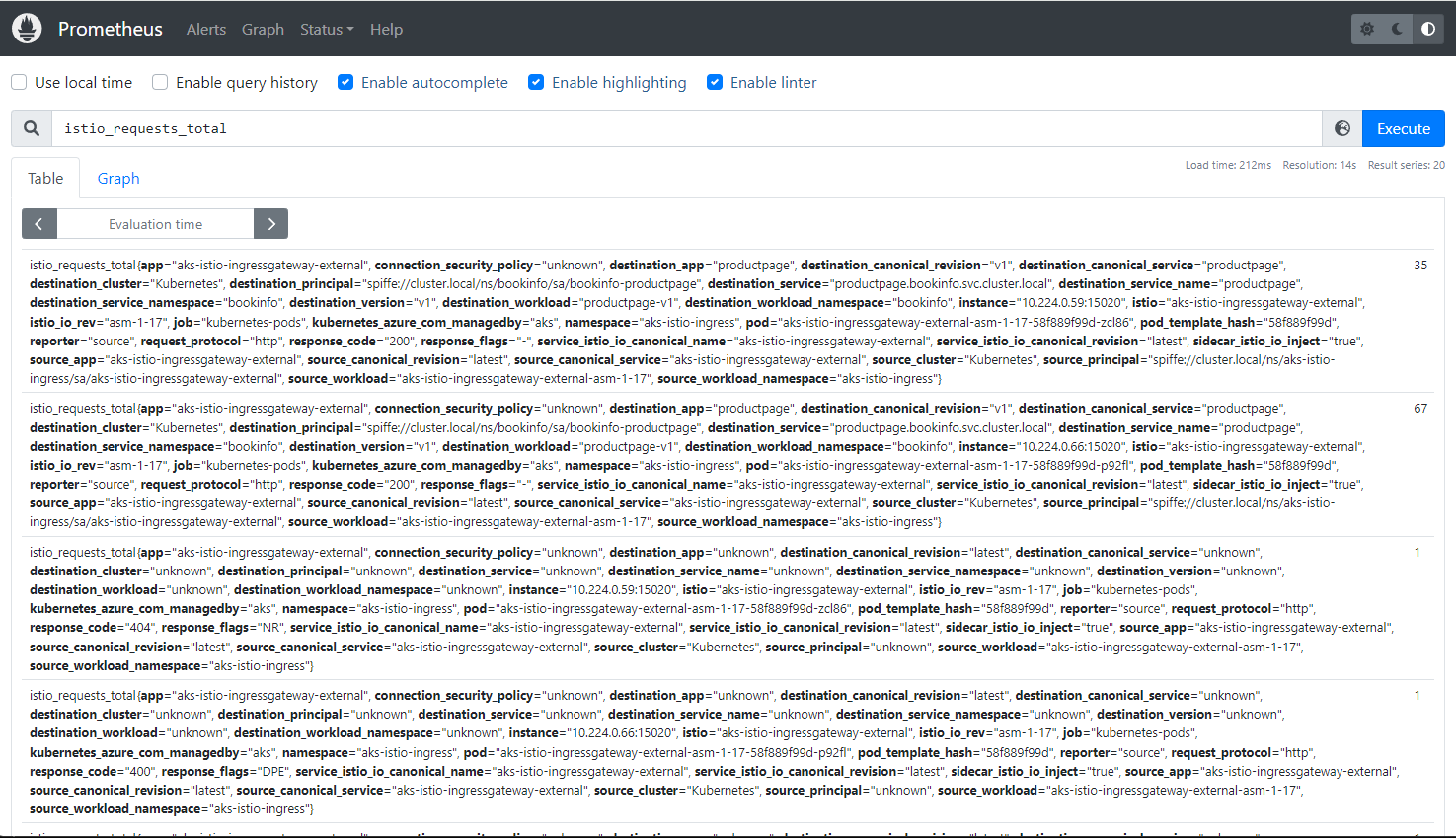
Prometheus 쿼리 예제
-
productpage 서비스에 대한 요청 수:
istio_requests_total{destination_service="productpage.bookinfo.svc.cluster.local"} -
reviews 서비스의 v3에 대한 요청 수:
istio_requests_total{destination_service="reviews.bookinfo.svc.cluster.local", destination_version="v3"} -
마지막 5분 동안 productpage의 모든 인스턴스에 대한 요청:
rate(istio_requests_total{destination_service=~"productpage.*", response_code="200"}[5m])
참고: Istio 메트릭 쿼리 문서
Grafana 설치 (모니터링 대시보드)
curl -s https://raw.githubusercontent.com/istio/istio/release-1.18/samples/addons/grafana.yaml | sed 's/istio-system/aks-istio-system/g' | kubectl apply -f -
포트 포워딩 및 접속
kubectl port-forward -n aks-istio-system svc/grafana 3000:3000 &
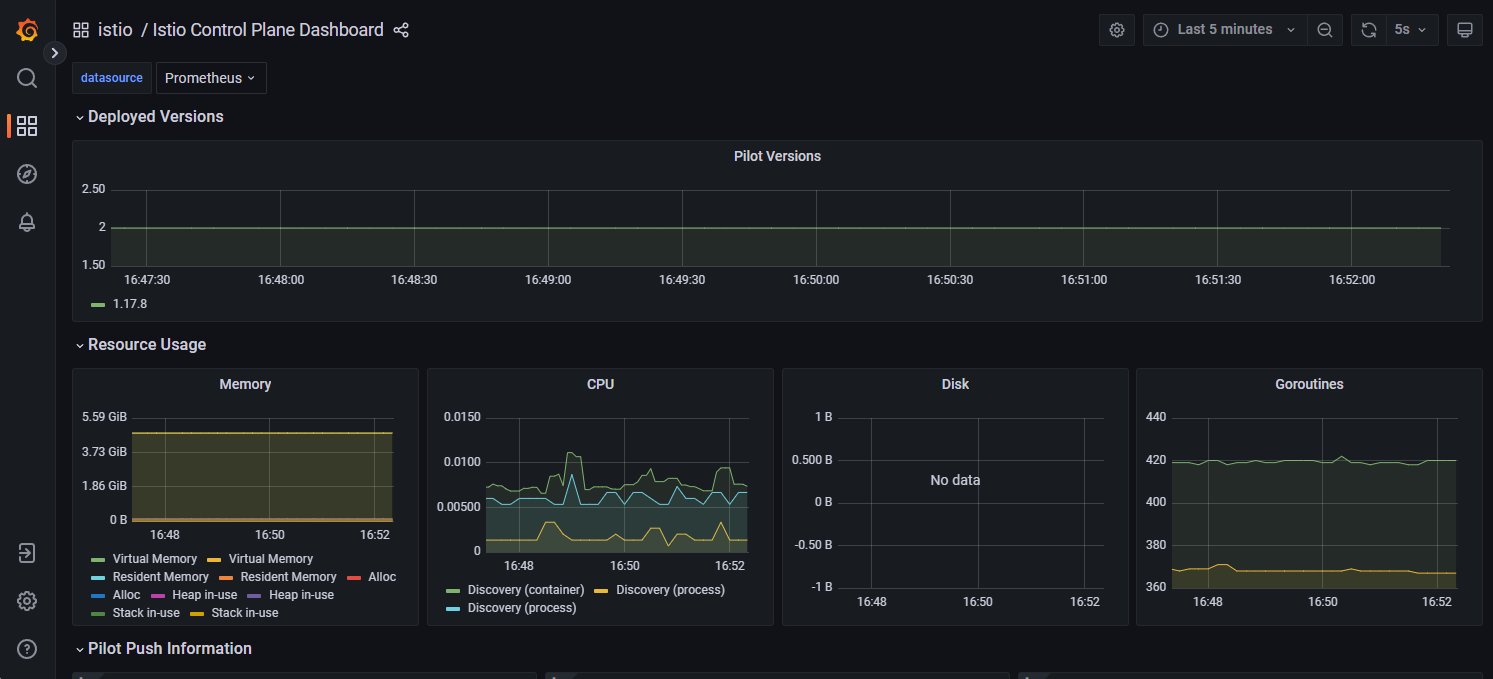
브라우저에서 http://localhost:3000으로 접속 후:
- Dashboard → Browse → istio 메뉴로 이동
- Istio 관련 대시보드 확인
Jaeger 설치 (분산 추적)
curl -s https://raw.githubusercontent.com/istio/istio/release-1.18/samples/addons/jaeger.yaml | sed 's/istio-system/aks-istio-system/g' | kubectl apply -f -
포트 포워딩 및 접속
kubectl port-forward -n aks-istio-system $JAEGER_POD 16686:16686 &
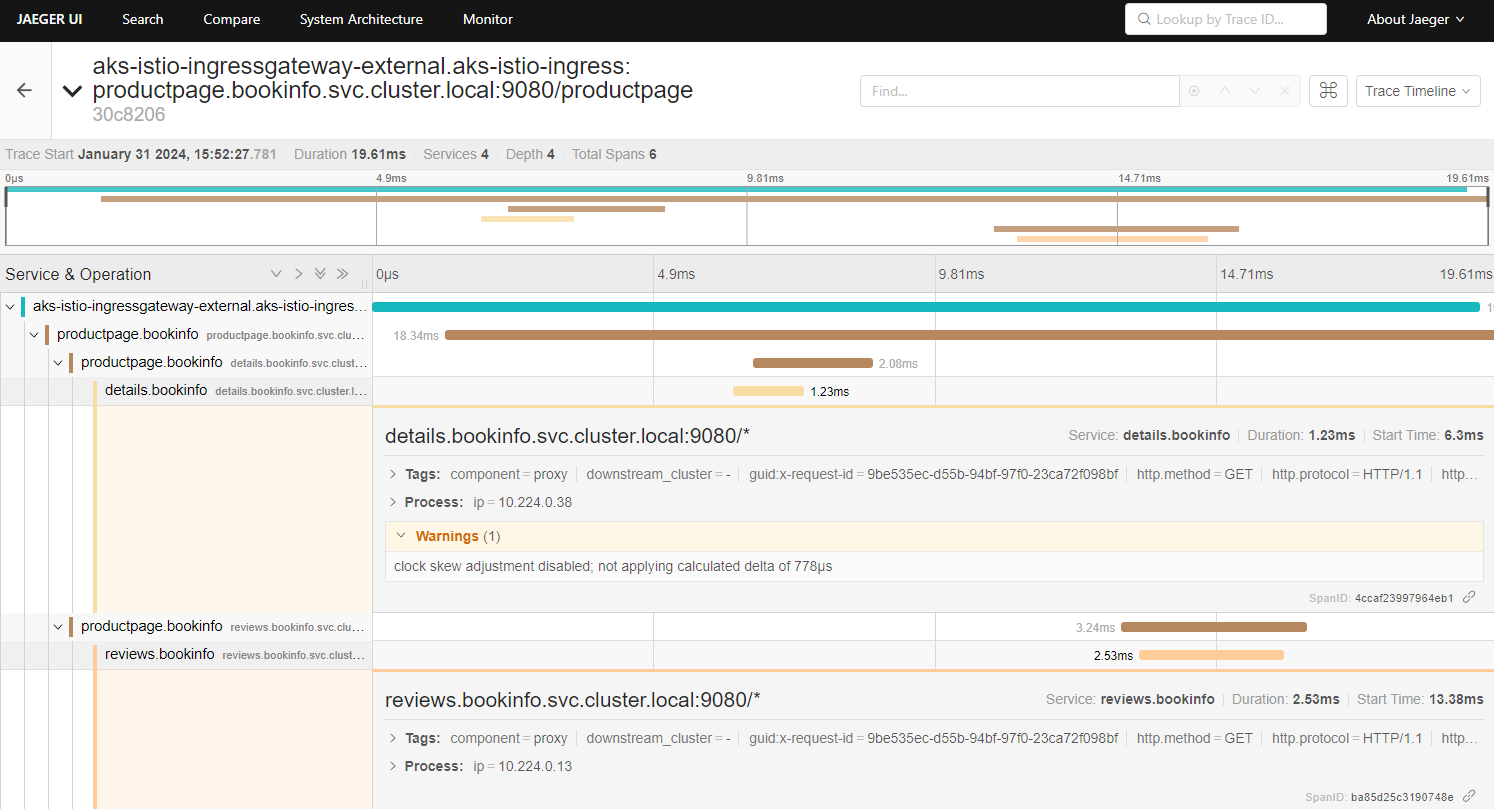
브라우저에서 http://localhost:16686으로 접속합니다.
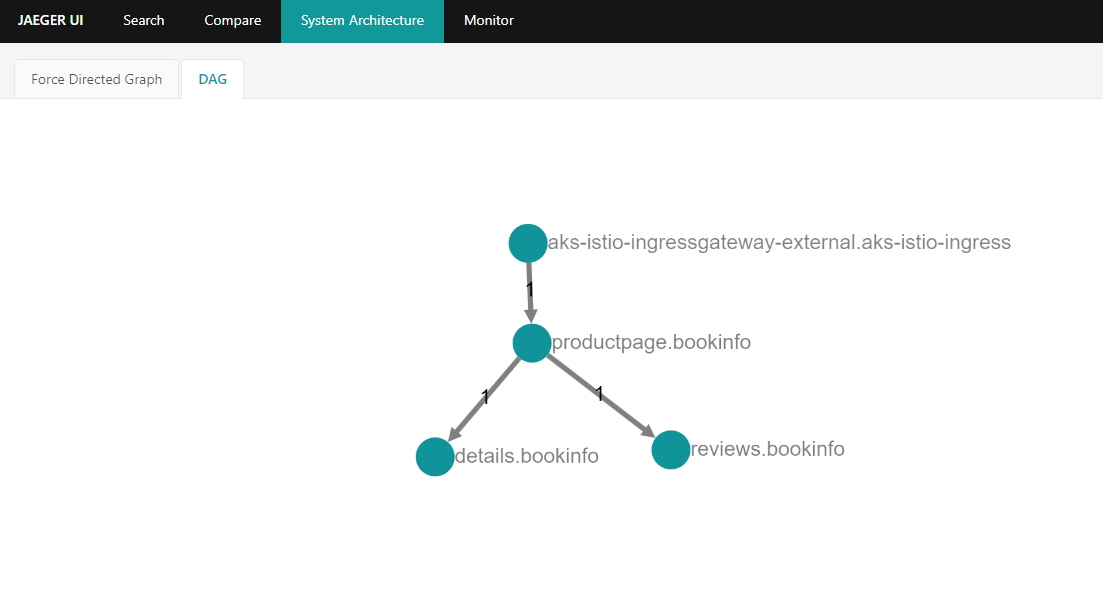
DAG (Directed Acyclic Graph) 확인
- Search 메뉴 선택
- Service에서
productpage.bookinfo선택 - Lookback에서 적절한 시간 선택 후 Find Traces 클릭
- 결과 중 하나를 클릭
- System Architecture 메뉴로 이동
- DAG 클릭하여 서비스 간 의존성 확인
Kiali 설치
helm install \
    --version=1.76.0 \
    --set cr.create=true \
    --set cr.namespace=aks-istio-system \
    --namespace aks-istio-system \
    --create-namespace \
    kiali-operator \
    kiali/kiali-operator
Kiali 토큰 생성
주의
Kiali 생성 후 곧바로 실행 시 실패할 수 있으니 시간을 두고 실행하세요.
# Kiali에 접속하기 위한 토큰 생성
kubectl -n aks-istio-system create token kiali-service-account
포트 포워딩 및 접속
# http://localhost:20001로 접속할 수 있도록 포트포워딩
kubectl port-forward svc/kiali 20001:20001 -n aks-istio-system &
VS Code remote 환경이라면 하단 Ports 탭에서 20001 포트 추가 후 http://localhost:20001로 접속 가능합니다.
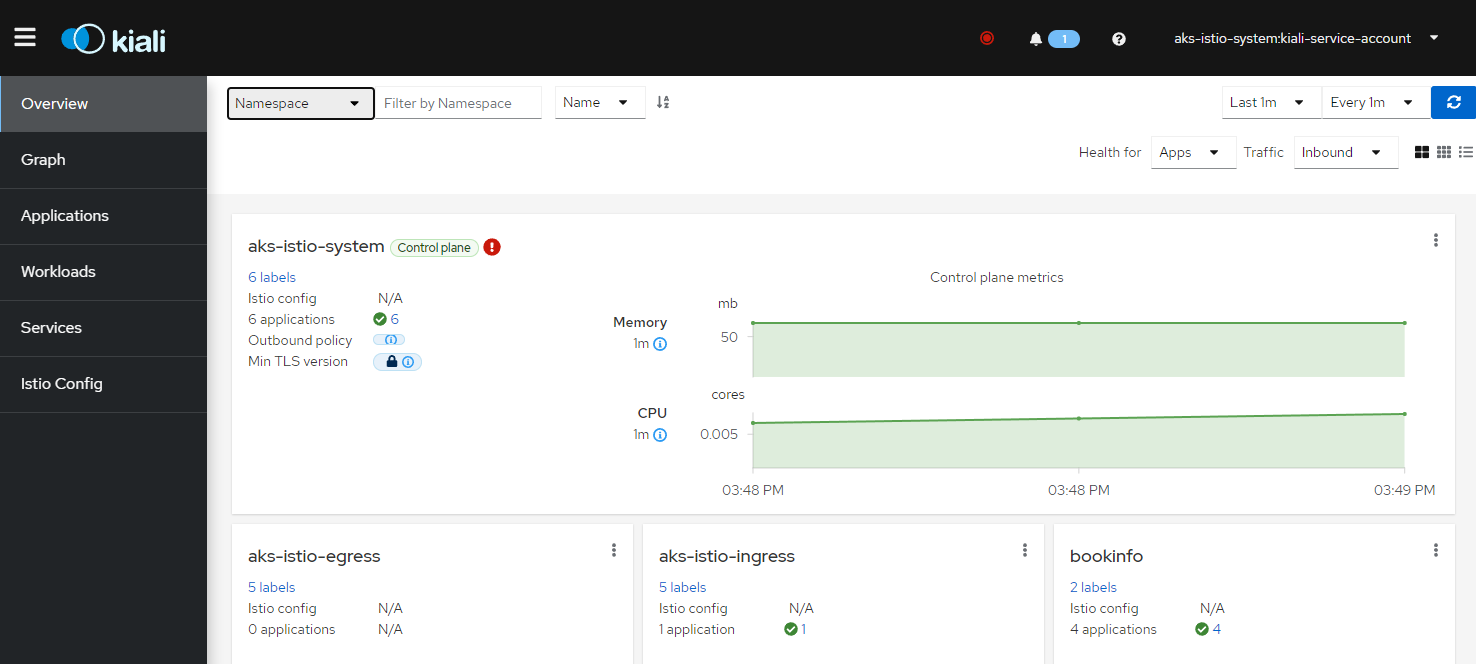
트래픽 생성 및 Kiali에서 확인
# 100번 요청
for i in $(seq 1 100); do curl -o /dev/null -s -w "Request: ${i}, Response: %{http_code}\n" "http://$GATEWAY_URL_EXTERNAL/productpage"; done

# 무한 요청
let i=0; while :; do let i++; curl -o /dev/null -s -w "Request: ${i}, Response: %{http_code}\n" "http://$GATEWAY_URL_EXTERNAL/productpage"; done
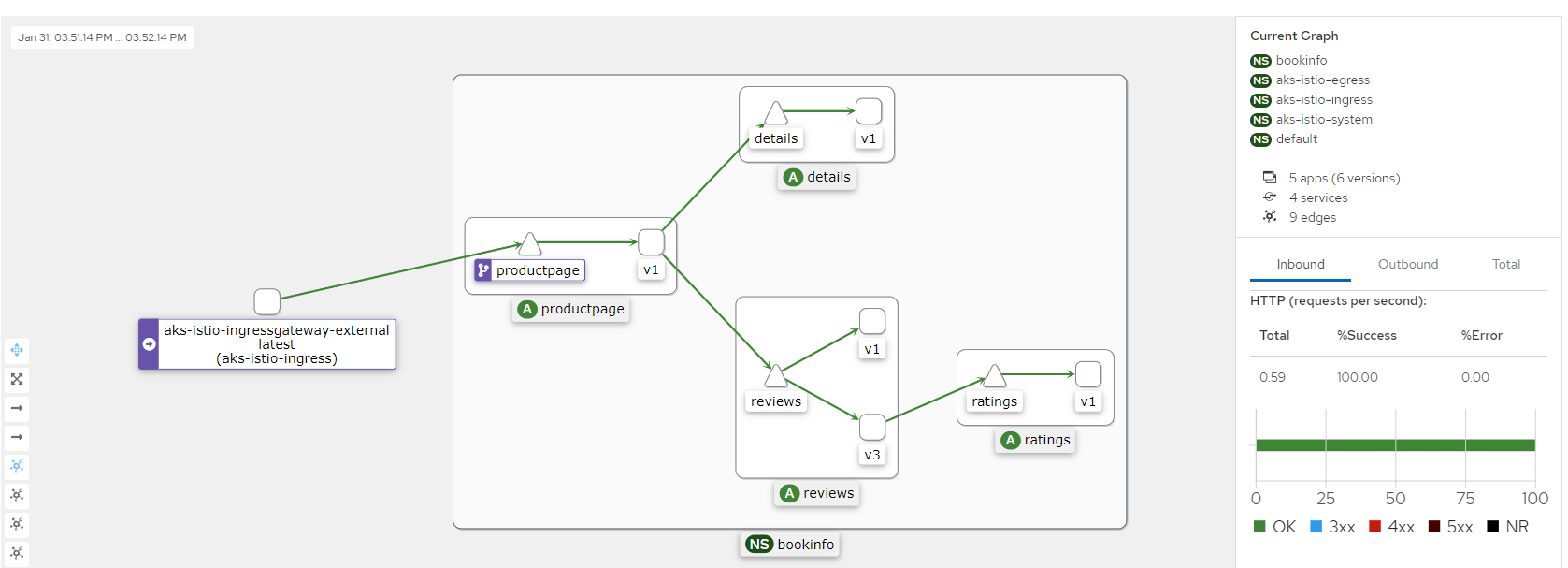
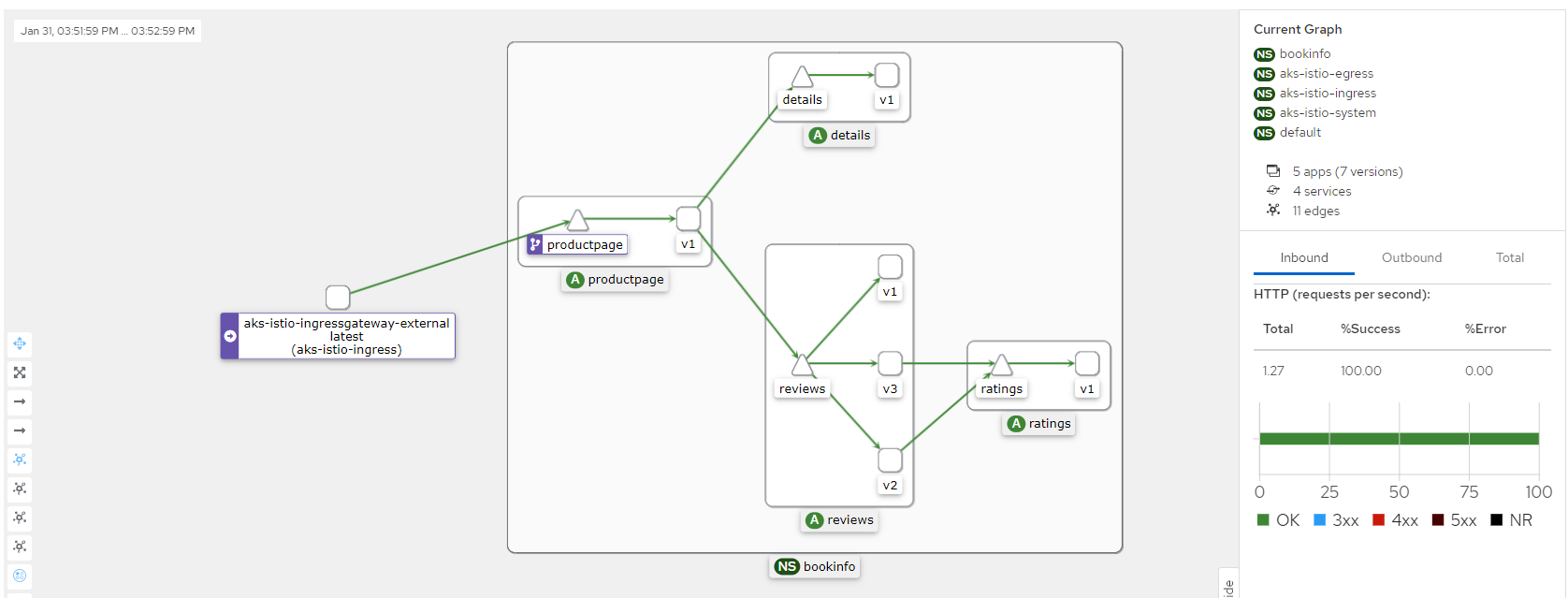
Kiali의 Graph 메뉴에서 서비스 간 트래픽 흐름을 시각적으로 확인할 수 있습니다.
ClusterInfo (선택 사항)
전반적인 클러스터 구조를 확인할 수 있습니다.
# Helm으로 clusterinfo 설치
helm repo add scubakiz https://scubakiz.github.io/clusterinfo/
helm repo update
helm install clusterinfo scubakiz/clusterinfo

# 로컬로 포트 포워딩
kubectl port-forward svc/clusterinfo 5252:5252 -n clusterinfo